- New release
Your agents, beyond the terminal
Universal computer use brings your coding agents into other apps. A redesigned live board brings prompts, worktrees, fanouts, and pull requests into one view.
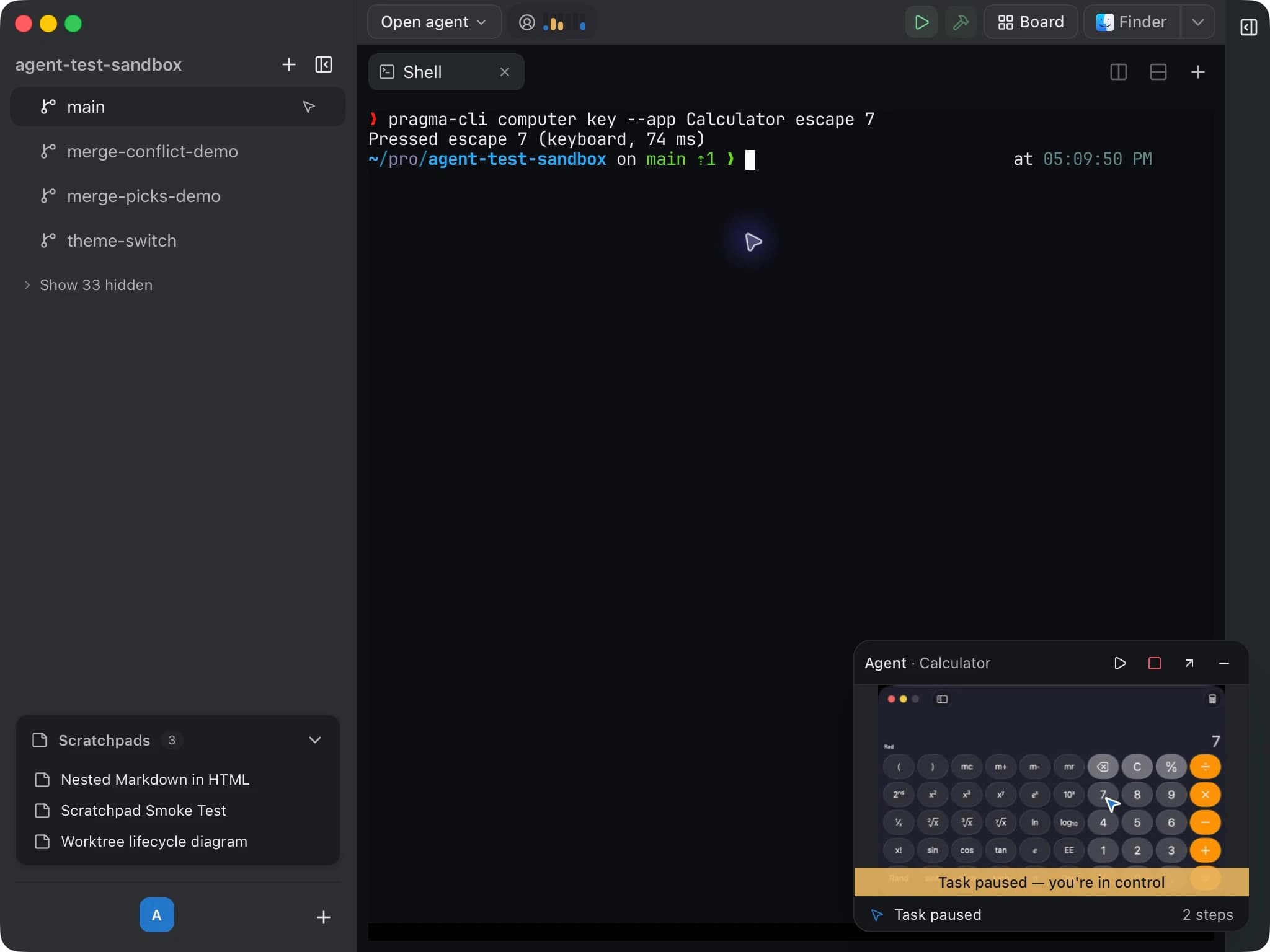
Coding agents spend most of their time in a terminal. The work around them doesn't. There is a browser to check, a desktop app to test, and a growing set of branches to keep track of.
This update gives agents universal computer use through Pragma and gives you a redesigned agent board to manage the work. Both stay attached to the same worktrees and sessions you already use.
Universal computer use
Your coding agent can now read the screen and work in other applications: inspect a window, click a control, enter text, or use a keyboard shortcut. The interface lives in Pragma, available through pragma-cli computer, so an agent that can run the CLI can use it without a separate computer-use integration for each harness.
Computer use supports macOS and Windows. It is off by default; enable it in Settings → Computer Use. On macOS, grant Accessibility and Screen Recording to Pragma Computer Use, the helper that carries out the actions.
See what is happening
An in-app picture-in-picture panel shows the app an agent is driving, who is driving it, and its current action. A labelled cursor shows where the agent is acting. Switch worktrees and the panel follows the agents in that worktree; minimize it when you want the space back.
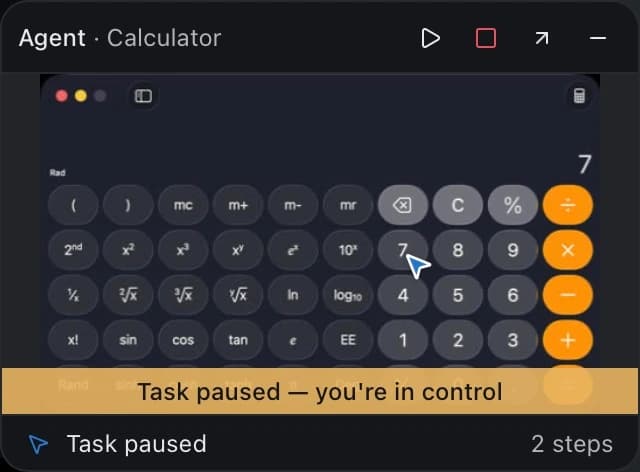
On macOS, ordinary clicks, scrolls, and typing go straight to the target app in the background. You can keep working in another app without the agent borrowing your pointer. Drags require you to bring the target forward. On Windows, keyboard and pointer fallbacks can bring the target forward and move the pointer.
You keep the controls
The default access policy asks before an agent takes control. Sensitive actions ask separately. Each app has an exclusive lease, so two agents cannot type into the same window at once.
Pause preserves the task. Stop cancels it and releases its apps. Interacting with the app the agent is using pauses its task until you resume it; working in another app does not. An emergency stop is available from any app, and Pragma must stay open for agents to act.
Pragma itself, password managers, and system security prompts are off limits. An agent cannot approve its own request.
A few actions, or a bounded task
An agent can drive individual actions, or ask Pragma to carry out a task and wait for the result:
pragma-cli computer run 'Open Safari and navigate to https://example.com' --app SafariExact navigation and literal inputs have deterministic paths. Connect System 1 in Settings → AI for tasks that need Jev to choose the next observed control. If a task needs a URL, text, or a clearer target, it asks for that input. It does not invent what to type.
Read the computer-use guide for setup, approvals, platform limits, and the CLI commands.
A live board for the whole project
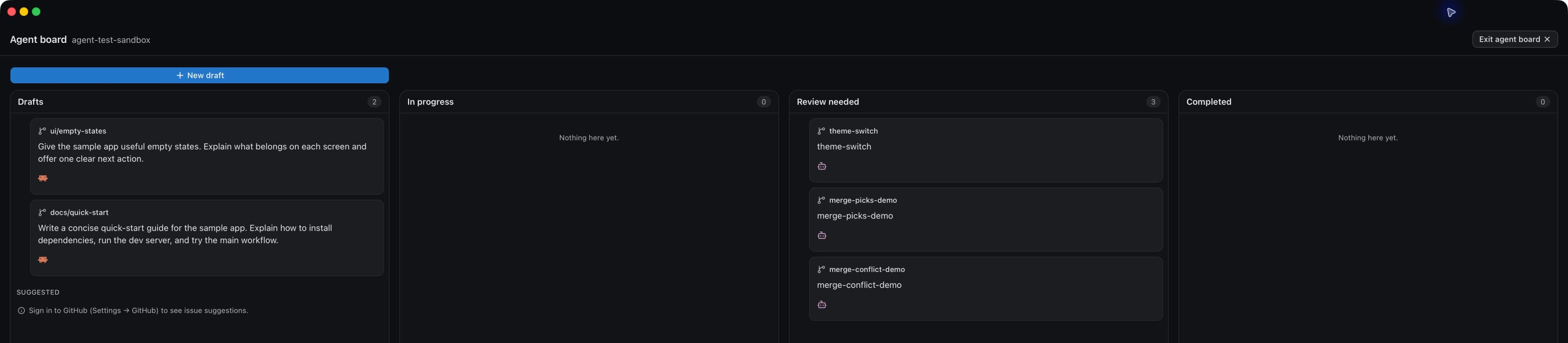
The agent board now takes over the full window. Four columns—Drafts, In progress, Review needed, and Completed—give the project room to breathe. Exit the board and your regular workspace returns.
The bigger change is underneath: cards follow live worktrees. Existing non-main worktrees appear even if you created them outside the board. Cards show the branch, agent, model, prompt, and status, with progress estimates when System 1 is configured. A pull-request badge stays visible while an agent works on that branch.
Go from an idea to the work
Write a draft yourself, or start with a suggestion. Connected sources can propose tasks as dashed cards in Drafts: GitHub issues are one source, and plugins can add others. Opening a suggestion pre-fills a draft; you decide whether to save and launch it.
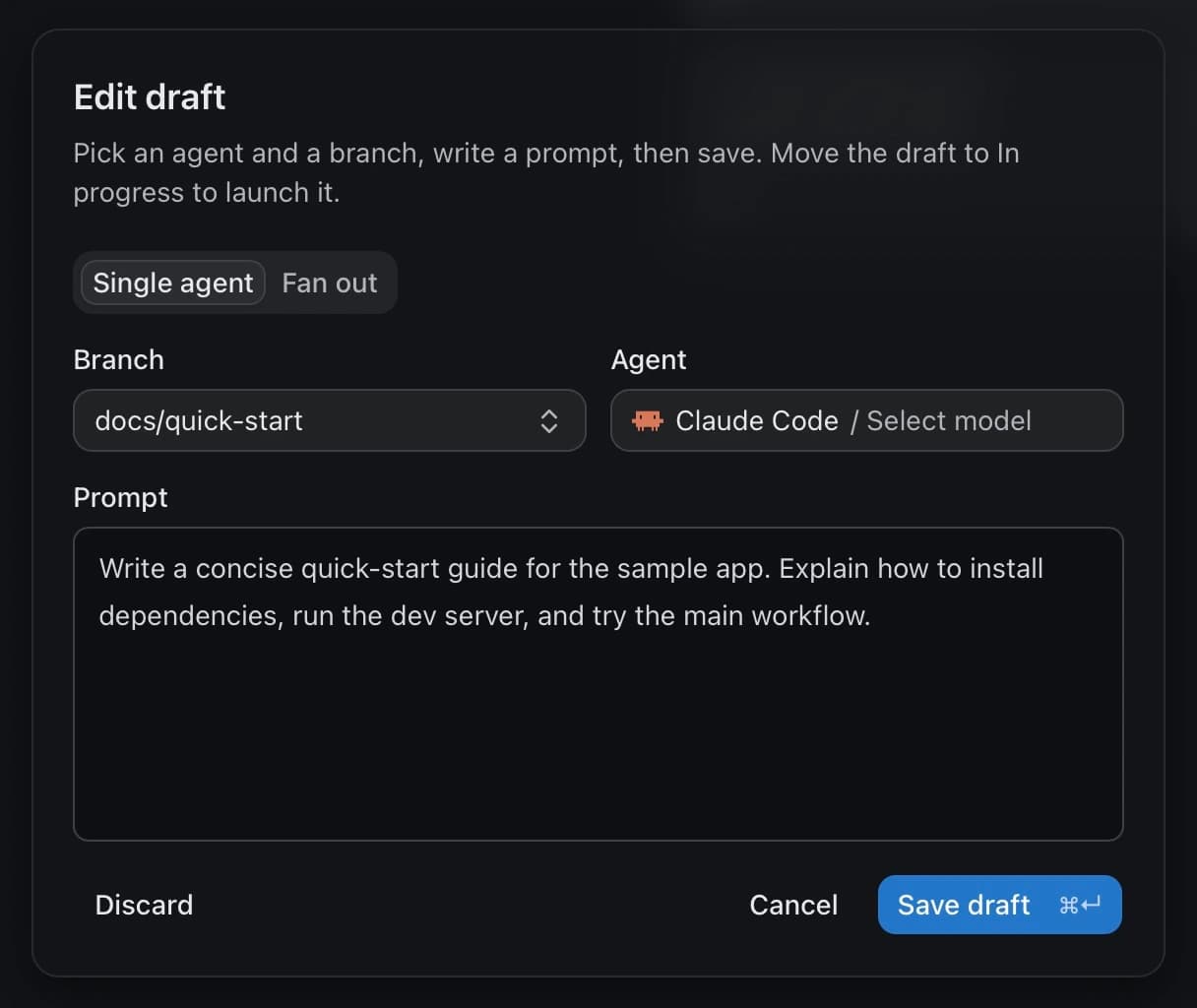
Launch a card and its agent starts in the background while the board stays open. Click a running card to interact with its live terminals in a popup. Open a PR card to review diffs and comments. When you need the full workspace, Open worktree takes you there, with Back to agent board ready for the return trip.
Fan out without leaving the board
Choose Fan out in a draft to send the same prompt to several agent and model combinations. The board groups the attempts into one card. When it is time to choose, the comparison opens over the board with live terminals, scratchpads, and file diffs. Keep the implementation you want through the same fanout workflow you already use elsewhere in Pragma.
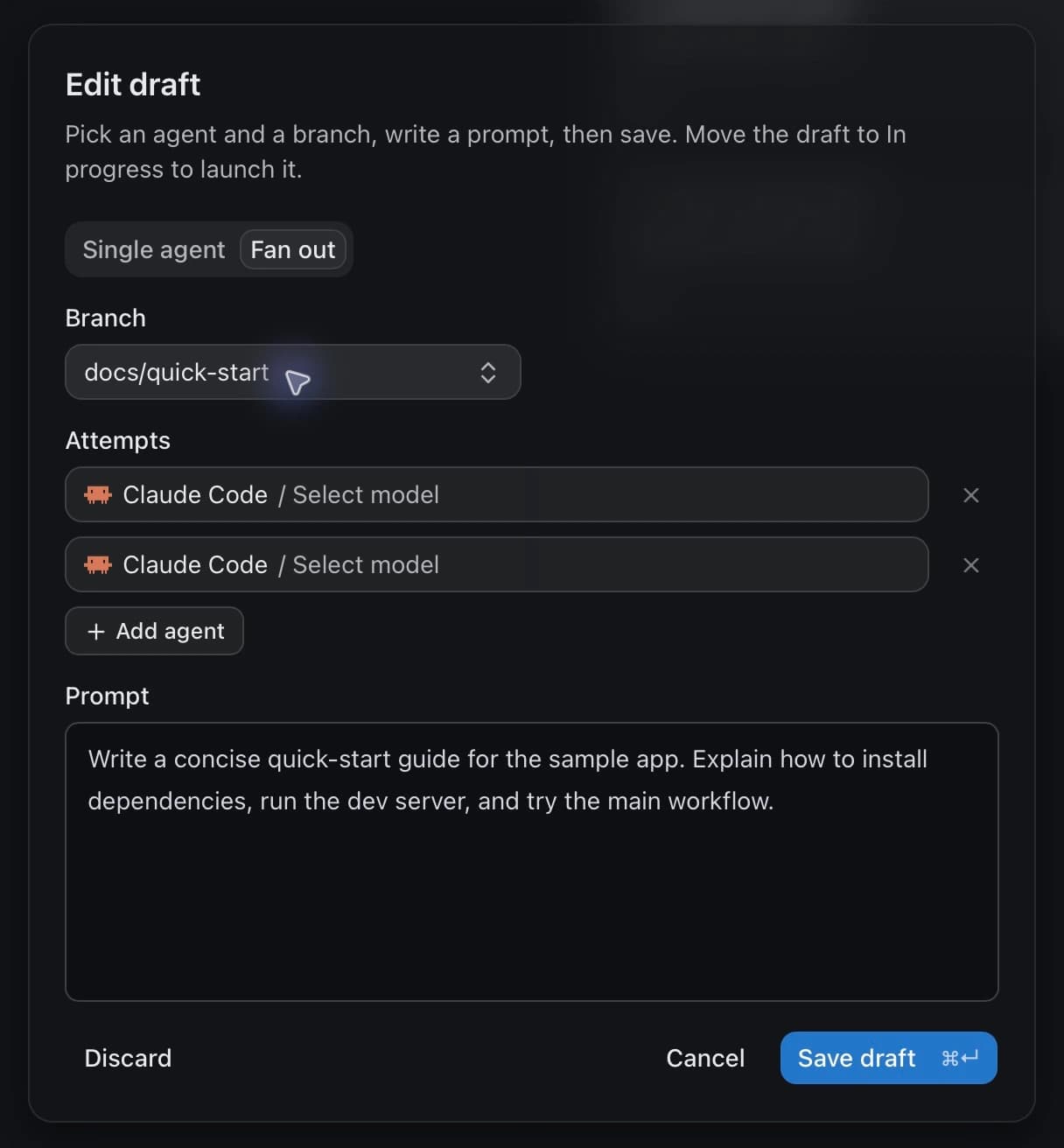
Categories add project-specific names and colors to cards. Categories, draft attempt choices, and manual board states survive UI updates. Opening a PR leaves its card in review until you explicitly complete it.
The agent-board guide covers suggestions, categories, fanouts, and completion options.
Also in this update
- Interrupted agent sessions can resume after a host restart. Nine shipped integrations support recovery of still-open conversations launched through Pragma. Resume restores the conversation; it does not replay your original prompt or commands. Plain shells restart fresh. See Sessions & recovery.
- OpenCode 2 support, including its plugin API, account and usage management, and active-conversation tracking. Subagent permission requests and questions now surface in Pragma too.
- More reliable Windows setup. Pragma finds npm, agent CLIs, and its own CLI more reliably, including executable casing and batch-shim handling. Plugin-catalog requests have a timeout so onboarding cannot wait indefinitely.
- Scratchpad controls retain their state, with saved values scoped to the individual block and control. Switching views no longer loses the interactive work you put into a document.
- The Linux native window menu is back. Board navigation and suggestion loading also received fixes, alongside improvements to computer-use capture, target handling, and session cleanup.
Download Pragma, explore the docs, or read the source on GitHub.