Pragma Go · iOS · Android · Web
Pragma Go: your coding agents, from your phone
Watch Claude Code, Codex, and every other agent work in real terminals, answer what they are blocked on, race one prompt across several of them, and ship the pull request — while they keep running on your own computer. Free, no account, over a tunnel you control.
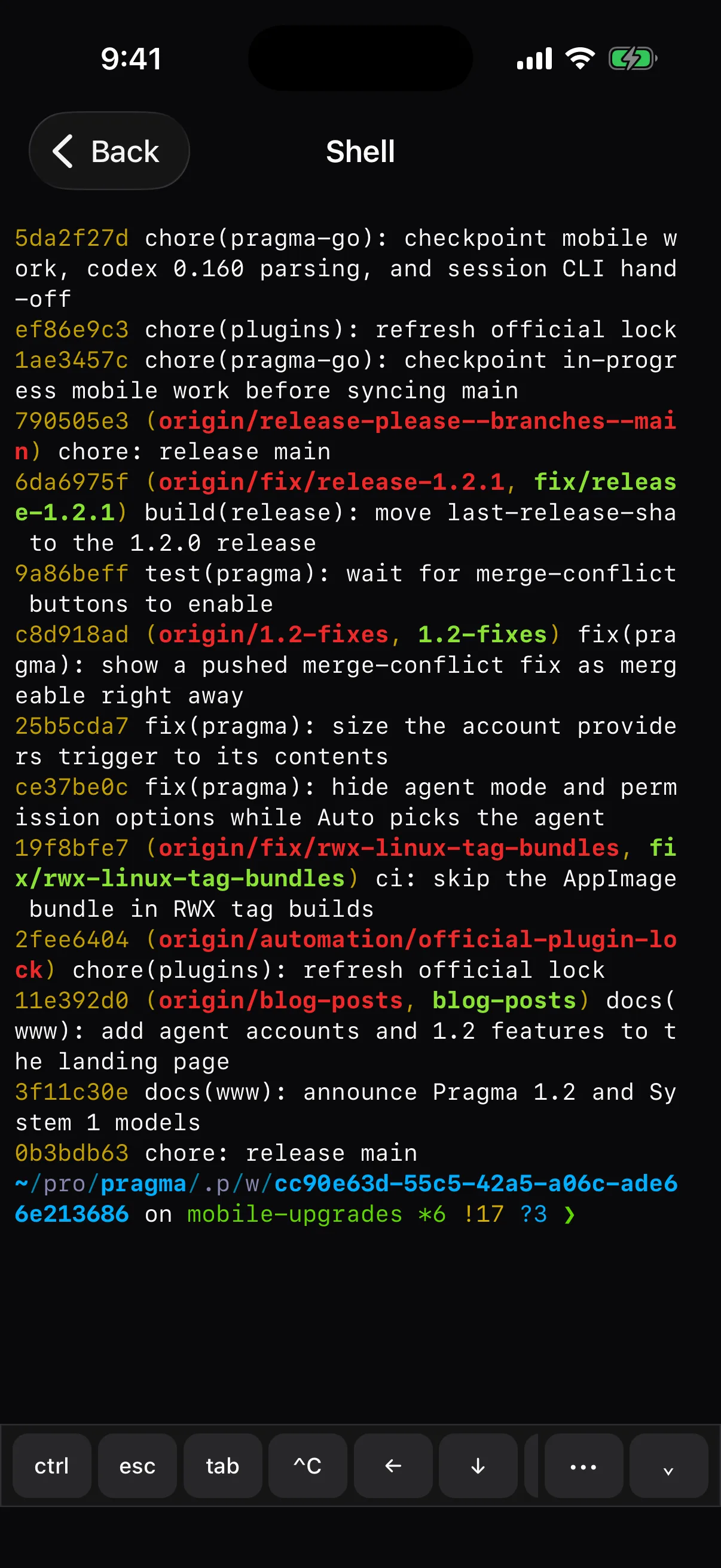
Real terminals, not a status page
Open any shell or script the host is running and type into it. The phone renders with the same emulator as the desktop, so a TUI looks exactly like it does at your desk.
- The keys a phone keyboard lacks. Escape, Tab, Ctrl-C, arrows, and a sticky Ctrl sit above the keyboard — with Ctrl-D kept well away from the interrupt key.
- Shares the screen without fighting it. The phone borrows the terminal's size while you look and hands it back when you leave, so the desktop's layout is untouched.
- Survives a dropped signal. Reconnecting replays only the output you missed, and a keystroke whose delivery was uncertain is never sent twice.
- Open, rename, and close tabs. A terminal opened on the phone is a real tab on the desktop too.
Race your agents from the couch
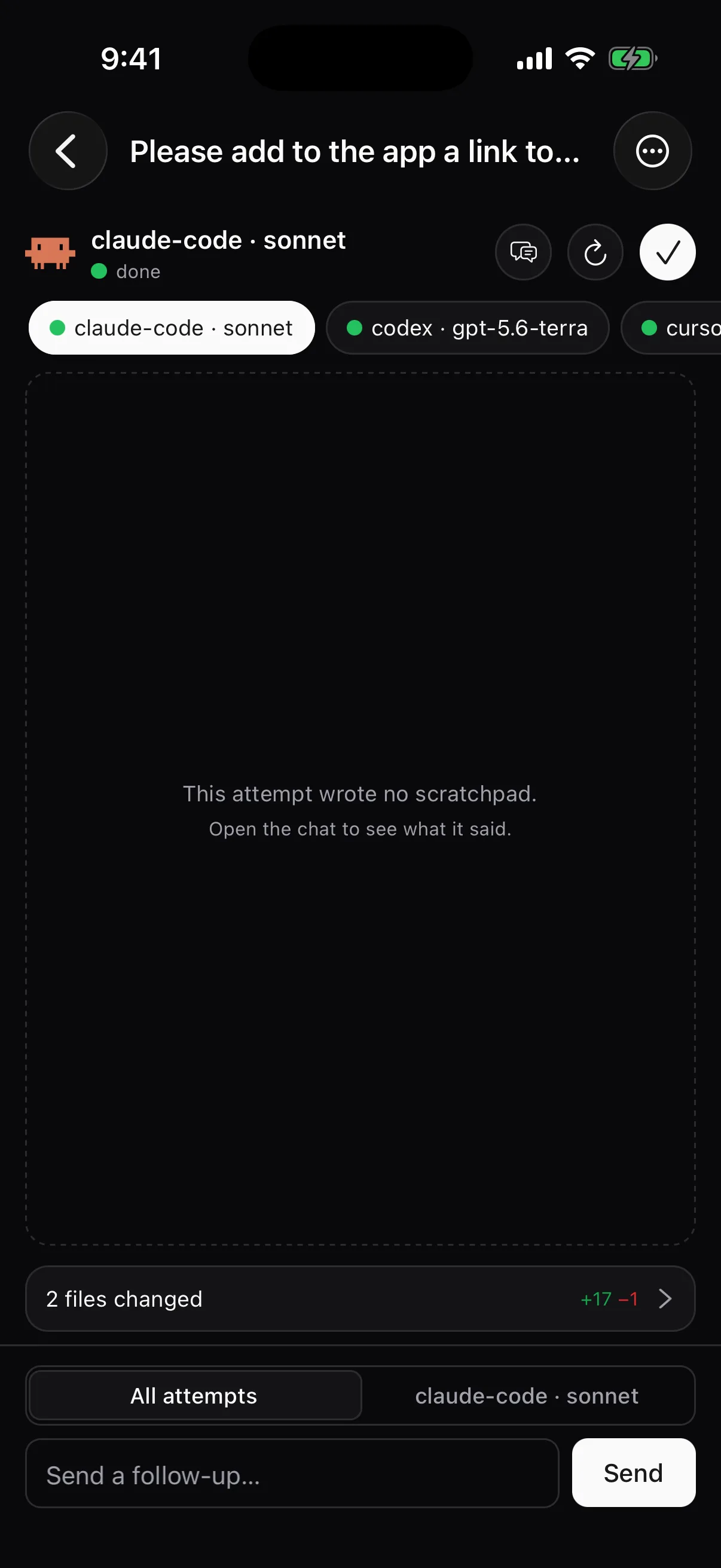
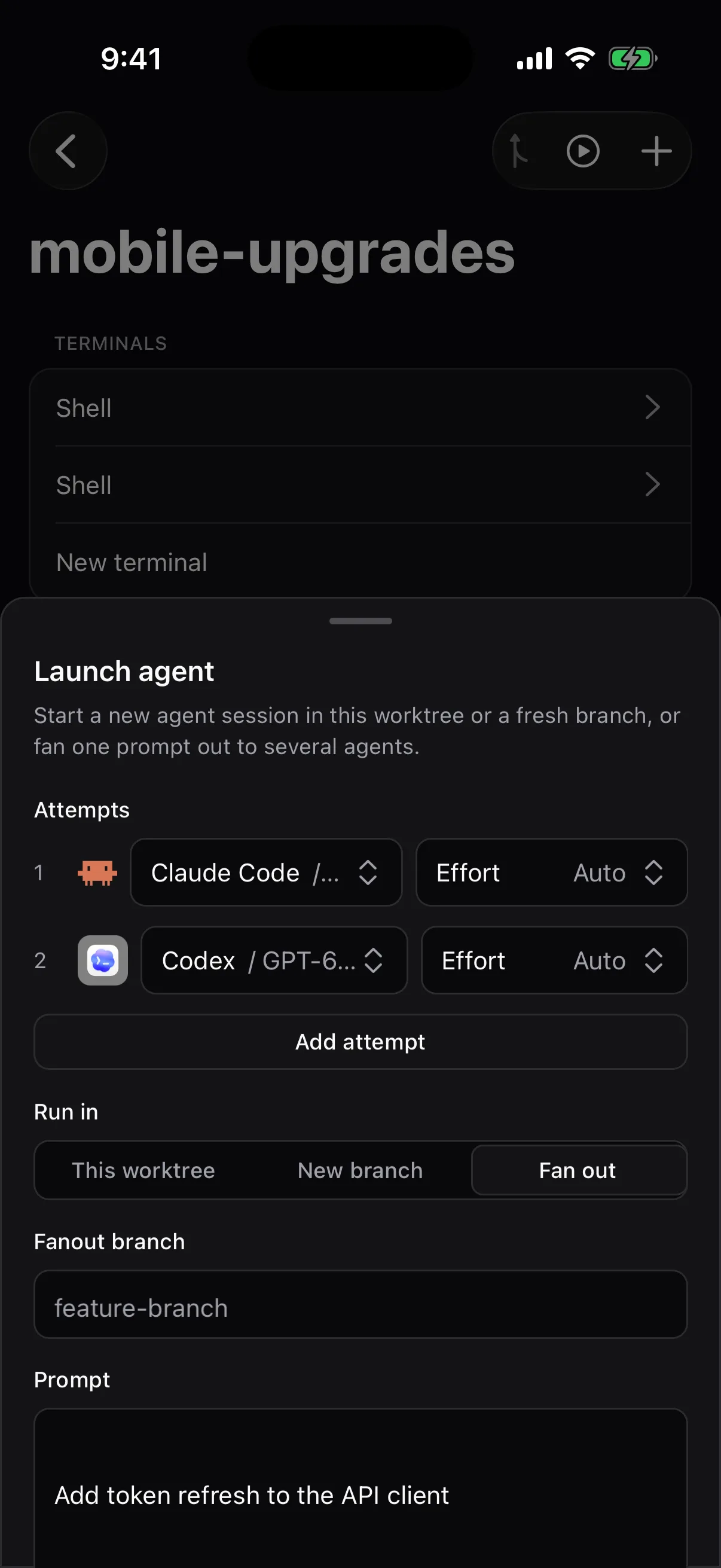
Send one prompt to several agents, each in its own worktree, then compare what they did and keep the best one — the same fanout the desktop runs, started from your phone.
- One agent, model, and effort per attempt. Two Claude Codes on different models, or Claude Code against Codex — mix them however you like.
- Swipe between attempts. Each attempt's status, scratchpads, and every file it changed, one page each.
- Pick, retry, or follow up. Merge the winner, restart a straggler with its work intact, or send a follow-up to every attempt at once.
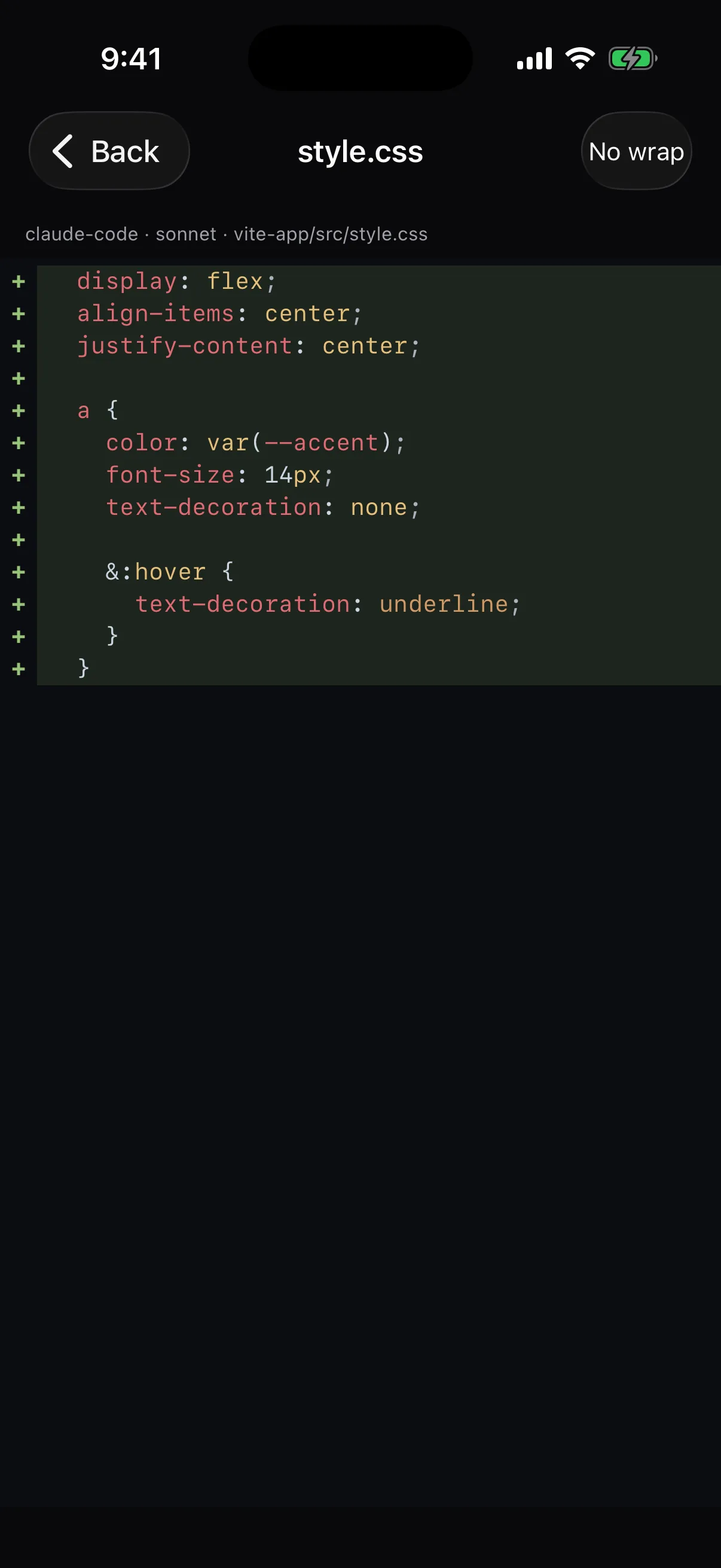
Read the diff before it ships
Browse any worktree's files and every change an agent made, with the desktop's syntax highlighting — then commit and open the pull request without walking back to your desk.
- Commit & PR in the safe order. AI groups the changes into logical commits, you review the pull request text, and only then does anything leave your machine.
- Runs on the host, not the phone. Lock the screen or lose signal mid-commit and the run carries on; the sheet tells you how many commits it already made.
- Pull request status at a glance. A worktree whose branch has a pull request shows it — even one opened on the web — with merged told apart from closed.
Start the dev server, then open it
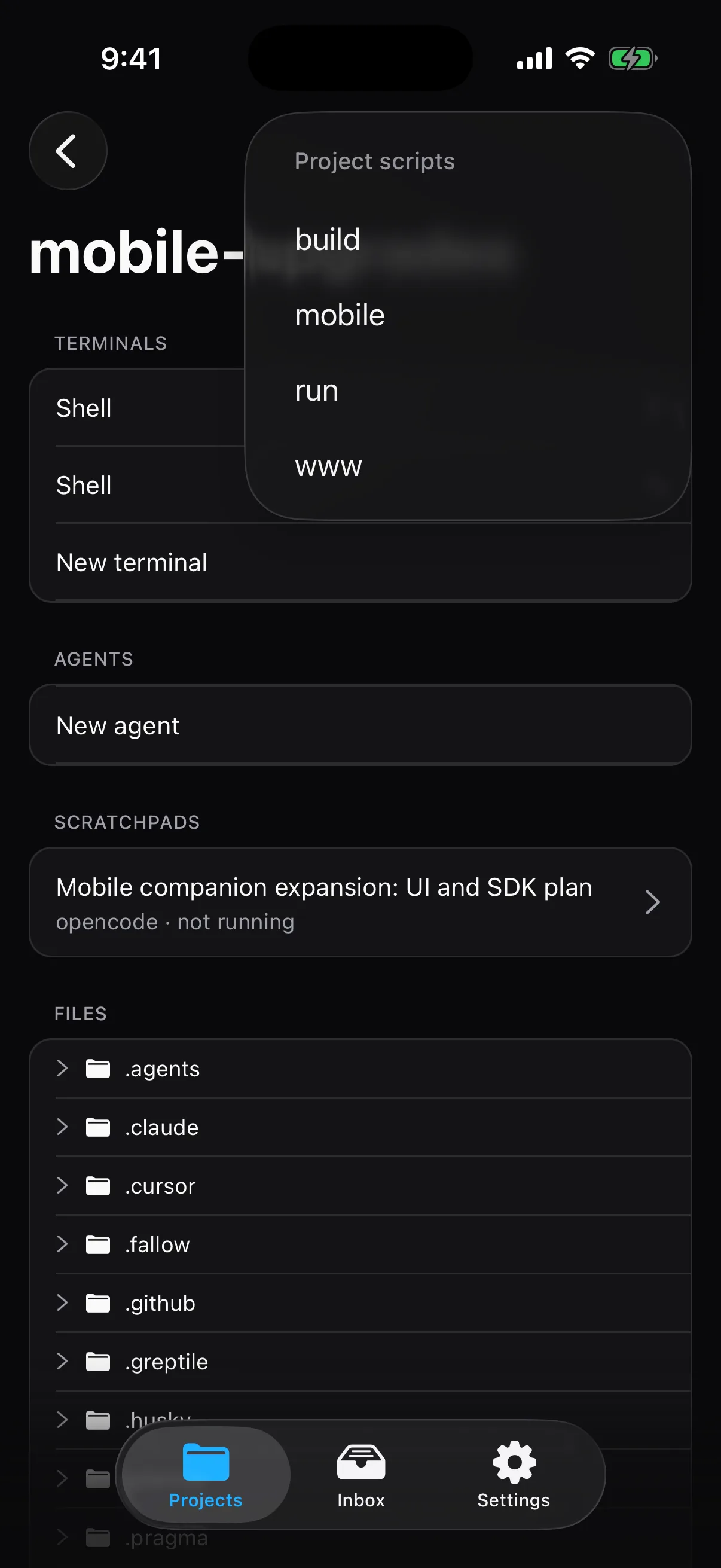
Run the project's scripts from the worktree header, and every port they open is one tap from your phone's browser.
- One run per script. Tap Run while the dev server is already up and you get that run, not a second one fighting for the port.
- Forward a port, then design on it. Open a running app through your tunnel, tap the paintbrush, pick an element, and hand the change to an agent.
- Accounts and usage. Every agent account, how much of its plan is left, and which one each agent launches with — switchable from the home screen.
Pragma Go vs Superset Mobile vs Orca Mobile
All three let you check on agents from your phone. The difference is how you reach your computer, what it costs, and how much work you can actually finish there.
| Capability | Pragma Go | Superset Mobile | Orca Mobile |
|---|---|---|---|
| PlatformsWhere the client runs today | iOS, iPadOS, Android, Web | iPhone (iOS 26+) | iOS, Android (beta) |
| PriceWhat it costs to use the phone client | Free | Pro plan, $20/seat/mo | Free |
| Reaching your computer off your LANThe path between the phone and the machine running the agents | Your own tunnel | Hosted relay | Hosted relay or LAN |
| No account requiredPair the phone with the desktop and nothing else | Yes | No | Partial |
| Runs in a browserOpen the same client from a link, with nothing to install | Yes | No | No |
| Live terminalsAttach to a running shell or agent session and type into it | Yes | Yes | Yes |
| Create worktrees and launch agentsStart new work from the phone, not only watch it | Yes | Yes | Yes |
| Fan out and compare attemptsOne prompt to several agents, compared side by side, best one merged | Yes | No | No |
| Approve commands and answer questionsResolve what an agent is blocked on, as an inbox | Yes | Partial | Yes |
| Review diffsRead what an agent changed, file by file | Yes | Yes | Yes |
| Commit and open the pull requestAI-written commits, a reviewed PR draft, then publish | Yes | Partial | Partial |
| Project scripts and dev-server previewsStart the dev server, then open its port on the phone | Yes | No | Partial |
| Agent accounts and usage limitsSee plan usage and switch the account an agent launches with | Yes | No | Yes |
| Home Screen widgetsAgents waiting on you, without opening the app | Yes | No | No |
| LicenseWhat you may do with the source | AGPL-3.0 | Elastic 2.0 | MIT |
Where the others are ahead: Orca Mobile can keep several desktops paired at once and seals pairing end to end with its own keys, and both Orca and Superset take dictated and photo replies in their composers. Pragma Go reaches one desktop at a time, over the tunnel you run.
Checked on 2026-10-06 against Superset's mobile launch post and pricing, and Orca's mobile documentation. "No" means the capability is not in that project's own documentation. Superset Mobile launched on 2026-09-21; its Android app is on a waitlist. Orca's relay needs a sign-in; its LAN mode does not. If something here is out of date, open an issue on https://github.com/pragma-sh/pragma and we will correct it.
Questions
Is Pragma Go free?
Yes. Pragma Go is free on the App Store, as a signed APK for Android, and as a web app your own desktop serves. There is no paid tier and no plan gate on any feature.
Do I need an account to use it?
No. You pair the phone with your desktop by scanning a QR code in Settings → Pragma Go. The code carries your tunnel URL and a token that only your desktop issued; there is no Pragma account and no Pragma server in between.
How does my phone reach my computer when I'm away from home?
Through a tunnel command you choose. The default is ngrok, and anything that prints a URL works — cloudflared, a Tailscale funnel, your own reverse proxy. The desktop's gateway only listens on localhost, and every data route needs the bearer token.
Which coding agents does it work with?
Every agent Pragma runs: Claude Code, Codex, opencode, Cursor, GitHub Copilot CLI, Grok, Kimi Code, Junie, Pi, Prime Agent, and any agent you add with a plugin. Your custom agents and their icons show up on the phone exactly as they do on the desktop.
Do the agents run on my phone?
No. Agents keep running on your computer, in their own git worktrees, with your own subscriptions. The phone is a client: it attaches to the same sessions, so closing the app never stops an agent and work started on the phone is waiting on the desktop when you sit back down.
Can I use it without installing anything?
Yes. Turn on web access and your desktop serves the same client to any browser. The link carries the token in the URL fragment, which browsers never send to a server, so it can be opened on a borrowed laptop or a tablet.
How is Pragma Go different from Superset Mobile and Orca Mobile?
Pragma Go is free, runs on iOS, Android, and the web, and connects through a tunnel you run rather than a hosted relay. It is also the only one of the three that fans one prompt out to several agents and compares their attempts, runs project scripts, and publishes the pull request from the phone. The full table is on this page.
Setup, pairing, and every screen are in the Pragma Go docs.
Leave the desk. Keep shipping.
Pair once with a QR code from Settings → Pragma Go on the desktop.