- New release
Pragma 1.3: Terminals in your pocket
Pragma Go gets real terminals, project scripts, and Commit & PR from the phone. Pragma Mini adds a lightweight terminal window for work outside a project, and Auto now checks your usage limits before it picks.
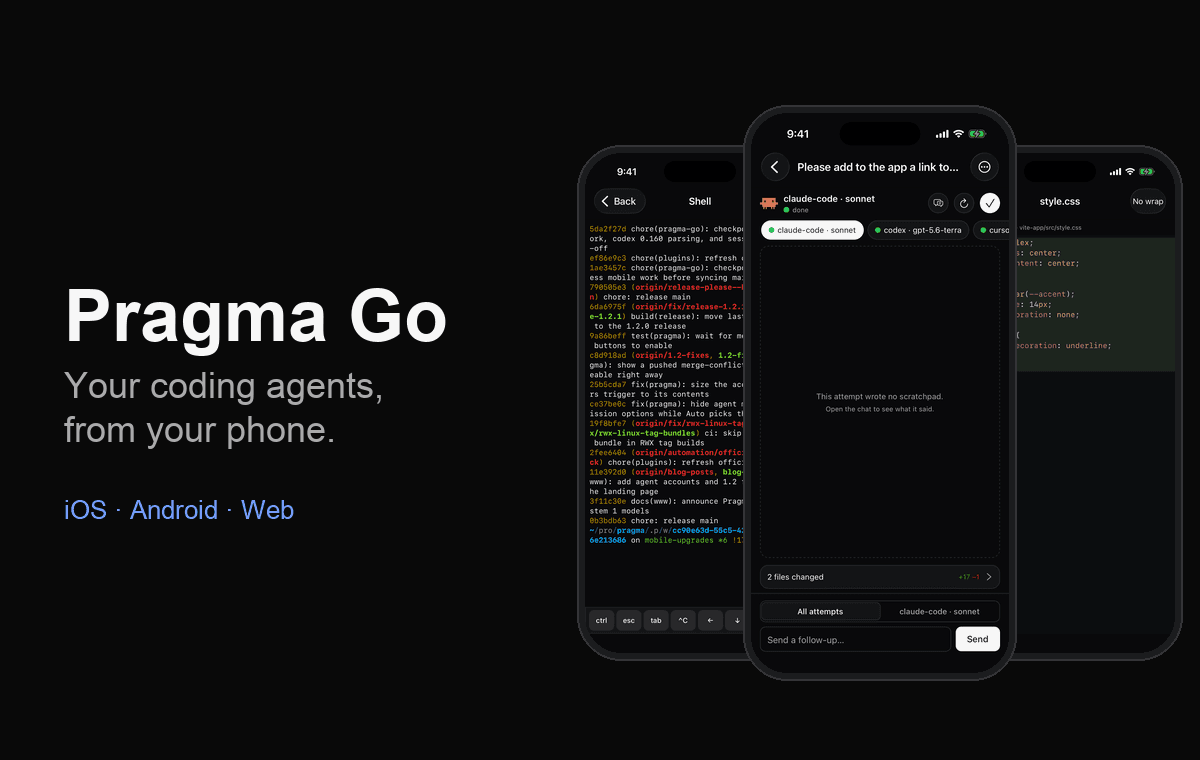
Pragma 1.2 taught your agents to pick themselves. Pragma 1.3 is about where you work with them. Your phone becomes a real terminal. A new lightweight window covers the work that doesn't belong to a project yet. And Auto stops sending tasks to a subscription that's about to run out.
Download Pragma 1.3 when it ships, or let the app update itself.
Pragma Go: a terminal, not a status page
Until now, Pragma Go was mostly for watching: you could launch agents, answer approvals, and read scratchpads, but anything beyond that meant walking back to your desk. In 1.3 the phone can do the rest of the job.
Real terminals
A worktree now has a Terminals section listing its shells and script runs. Tap one to attach, or tap New terminal to open a fresh shell. The phone uses xterm.js, the same emulator as the desktop, so a TUI looks the way it does at your desk.
- A terminal you open on the phone is a real tab. It shows up on the desktop too and survives a host restart. Closing it ends the process on every device, so the phone asks first.
- Phone and desktop don't fight over the window size. While you look, the phone borrows the terminal's size. When you leave, the desktop gets its own size back, and its layout is untouched. If the phone goes quiet, say iOS suspends it or the tunnel drops, the host takes the size back on its own.
- Reconnecting is cheap and safe. A dropped connection picks up from the last byte it saw instead of replaying the whole scrollback. A keystroke that may or may not have arrived is never sent twice.
- A key bar for the keys a phone keyboard lacks: a sticky ctrl, esc, tab, ^C, and the arrows, with the rest one tap away. Ctrl-D sits deliberately far from Ctrl-C, so trying to interrupt a command can't end your shell.
Project scripts
The worktree header's play button lists your project scripts. Tap one and it starts on the host, with one terminal per command under Terminals. If a script is already running, the button says Stop instead. Tapping it again never starts a second dev server fighting for the same port.
Commit & PR from the phone
The worktree header's pull-request button runs the desktop's Commit and draft a PR flow, in the same order and with the same checkpoints. AI groups your changes into logical commits. You review and edit the title, description, and base branch. Only then does Push & create PR publish anything.
The host owns the run, not the phone. Locking the screen or losing signal won't cancel it, and it won't start a second run. The sheet shows what the host is actually doing (Reading your changes…, Committing…, Writing the pull request…). If a run fails or is interrupted, it tells you how many commits it already made, so you never have to hunt for lost work. If a worktree's branch already has a pull request, including one opened on the web or from another machine, it shows at the top of the worktree.
To make that work without a desktop window, the GitHub token now belongs to the host. It's still an owner-only file, now beside the server, and nothing a paired phone can call ever returns it. A token from an older Pragma is moved over automatically on first launch.
Usage limits on the home screen
The home screen now lists every account provider with each account's plan usage and when it resets. It also shows which account each agent launches with, and you can switch accounts from there. The readings come from one cache on the host. If you open the desktop and the phone together, the provider is asked once, and a reading the host couldn't refresh is labelled stale instead of showing as zero.
Pragma Go also has a new home on the web: pragma.sh/mobile covers every feature and compares Pragma Go with the other phone clients. The full guide is in the mobile docs.
Pragma Mini
Not every command needs a project. Sometimes you want a quick shell, a one-off agent, or a look around your machine. Pragma Mini is a lightweight terminal window for those: Pragma's tab strip and agent launcher, and nothing else.
- Open one from anywhere. Use File → New Pragma Mini Window (⌘⇧N on macOS, Ctrl+⇧N elsewhere), or right-click Pragma's icon in the macOS dock, the Windows taskbar, or the Linux launcher. Open as many as you like.
- Tabs start in your home directory. Each new tab, including one that launches an agent, opens there. Agents report status on their tab and alert you when they finish, just as they do in a worktree. On macOS, clicking the notification brings the right Mini window forward with that tab selected.
- Move a tab into a project when it outgrows Mini. Right-click a tab → Open in Project, then pick a project and worktree, remote projects included. The shell restarts in that worktree's checkout.
- Scratch space by design. Mini tabs aren't saved. Closing the window ends its shells, and the main window's agent board never sees them.
On macOS, the tab strip uses the native translucent material, and the terminal stays opaque so it's easy to read. See the Pragma Mini guide.
Auto checks your usage limits
Auto mode already weighed your prompt against Terminal-Bench results, model benchmarks, and your automode.md. In 1.3 it also sees how much of each subscription is left. For every candidate agent, the System 1 model gets the usage of the account that agent would launch with, along with when each limit resets.
- A nearly used-up subscription is avoided, unless its limit resets soon. An account at 95% that resets in ten minutes is still a fine choice.
- Headroom breaks ties. When two agents are otherwise close, the one with more limit left wins.
- Limits are evidence, not filters. Nothing is excluded automatically. To rule an agent out, use
agents.excludeinautomode.md. - Auto never waits on a slow check. If an account's usage hasn't loaded yet, Auto reports it as unknown and goes ahead, so a slow provider CLI never holds up your launch.
The readings are the same ones the toolbar's Account providers menu shows, so if Auto steers away from an agent, you can see why.
For SDK users
The work that powers the phone is available to any client through @pragma-sh/sdk. That includes opening and closing host-owned terminal tabs, attaching with a viewport lease and a resume cursor, running project scripts, starting and tracking AI commit runs, finding or publishing a pull request, and reading cached usage limits. Commit messages, PR drafts, inline edits, and read-only questions are host AI helpers too, so you don't need the desktop to use them.
Get 1.3
Pragma 1.3 is coming soon for macOS, Linux, and Windows, with Pragma Go updates for iOS, Android, and the web. Download Pragma, get Pragma Go, or read the source on GitHub.