System 1 models in Pragma
How Pragma uses a fast classifier like TypeSafe's Jev to pick the agent, model, and effort for every launch, estimate each agent's progress, and resolve merge conflicts.
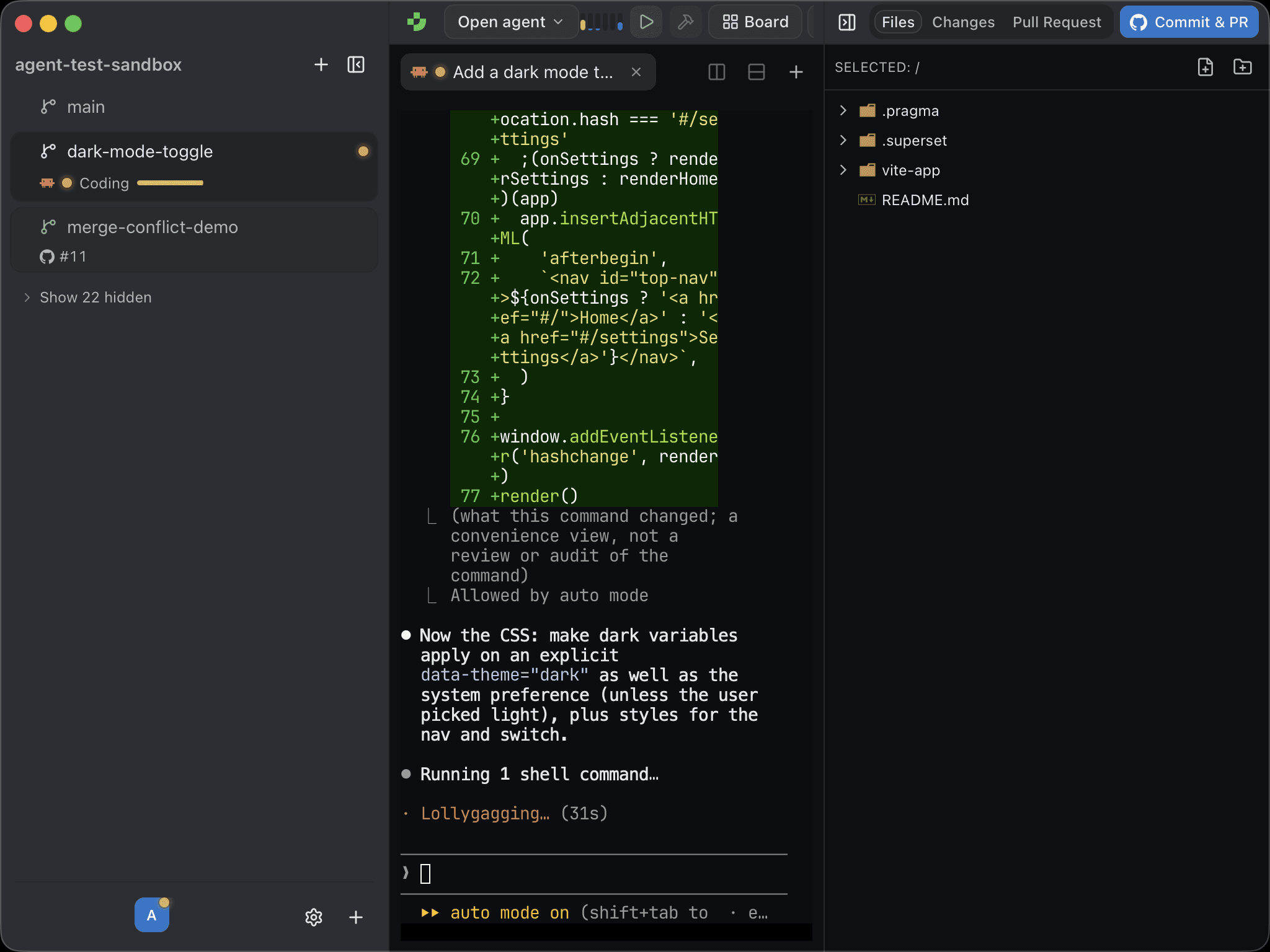
Most of the AI in a coding workflow is "System 2": slow, deliberate models that write code and argue their way through a plan. Your agents are System 2, and they should be. Plenty of the decisions around them don't need that, though. Which harness suits this task? Is that agent still exploring or almost done? Should this conflict keep our side or theirs? A decision like that wants a fast, calibrated answer, not an essay.
That's what a System 1 model gives you, and Pragma 1.2 builds three features on one.
What a System 1 model is
A System 1 model is a classifier. You hand it a state, ask it typed questions such as "which of these?", "how far?", or "how sure?", and it answers each with probabilities instead of prose. It can't wander off, invent an option that isn't on the list, or bury an answer in a paragraph. It also answers in well under a second, so it fits between you pressing Enter and the agent starting.
Pragma uses TypeSafe's Jev by default. Any API that speaks the same systemone contract works too.
Connecting one
Open Settings → AI (or the AI step of onboarding) and fill in the System 1 model card:
- Base URL or endpoint. Leave it empty for TypeSafe, or paste another Jev-compatible URL. OpenRouter's
https://openrouter.ai/api/alpha/decisionsis used exactly as written. - Model. Leave it empty for the endpoint's default (
jev-latest, or~typesafe/jev-lateston OpenRouter), or pin a release. - API key. A key from the TypeSafe console, or your OpenRouter key.
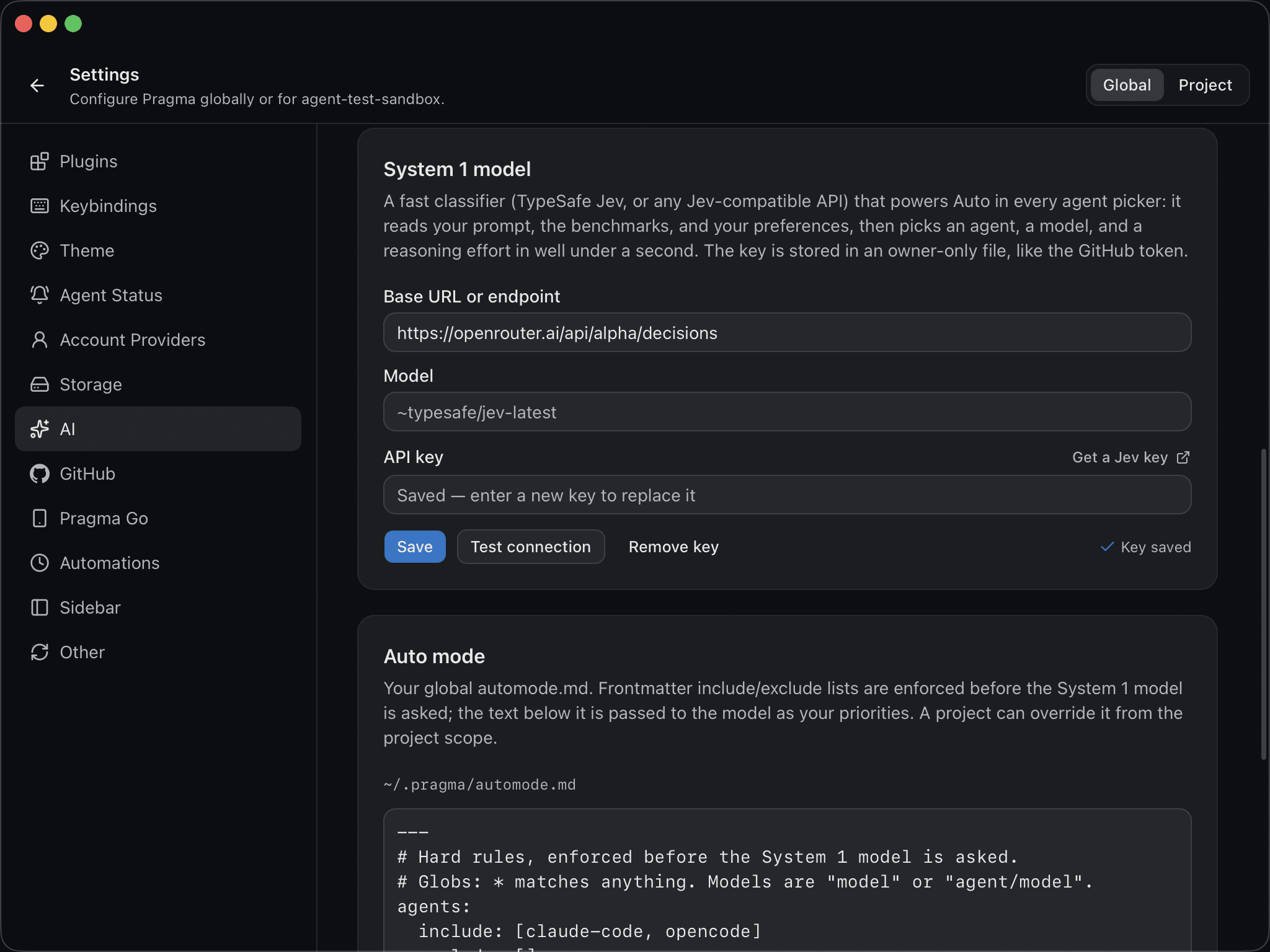
Click Test connection, then Save. The key lives in an owner-only file in Pragma's app data directory, like the GitHub token. It never goes back to the UI, and Pragma only ever sends it to the URL you set.
Auto mode
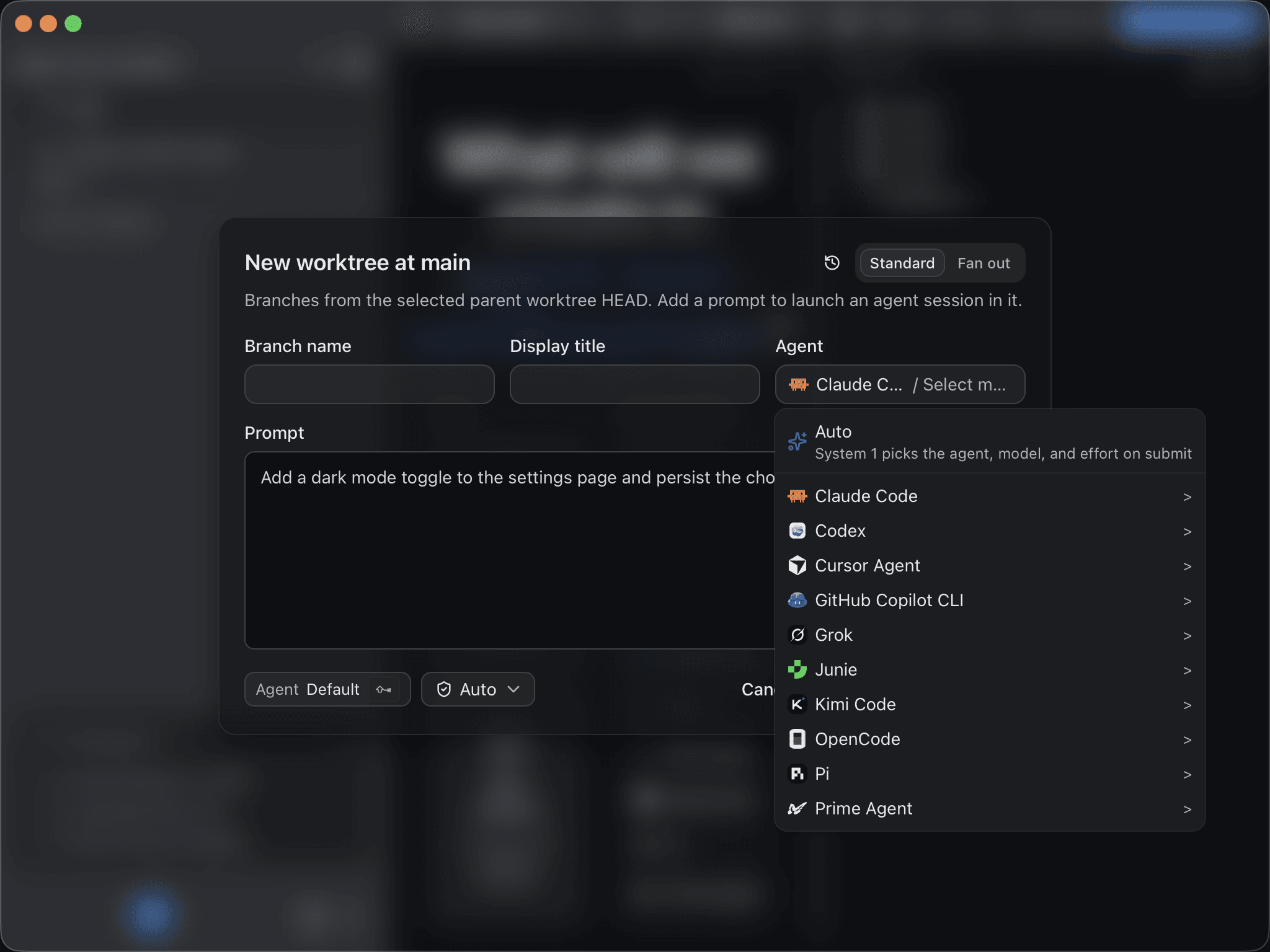
Every agent picker (new session, new worktree, fanout attempts, board drafts, review fix-its, and design mode) has an Auto row at the top. Choose it, and when you submit, Pragma makes one request that sees:
- Your prompt, plus the project, worktree, and branch it will run in.
- Harness benchmarks. Terminal-Bench results for each agent and model pair: accuracy, minutes per task, and tokens and cost per solved task.
- Model benchmarks. Intelligence, coding, speed, latency, and price for every model your agents can run.
- Your preferences, from
automode.md.
That one request asks "which agent?", asks "which model?" once for every candidate agent, and asks how hard the task is, all in parallel. Choosing the winning agent's model costs no second round trip. Task difficulty then maps onto that model's reasoning levels, so a typo fix runs at the lowest effort and a hard refactor runs at the highest. Nothing is asked while you type, so the picker just reads Auto until you submit.
Your rules, in automode.md
Auto follows a Markdown file you write: ~/.pragma/automode.md globally, and <project>/.pragma/automode.md for one project, which wins. Edit either in Settings → AI.
---
agents:
  include: [claude-code, codex]
models:
  exclude: ["*haiku*"]
priority: accuracy
---

Use Codex for quick scripted fixes and CI failures.
Use Claude Code with Opus for multi-file refactors and anything touching Rust.
The frontmatter holds hard filters, and Pragma enforces them before asking the model, so an excluded agent can never be picked. The body goes to the model as your priorities. Write it the way you'd brief a colleague.
Fanout attempts default to manual picks, because attempts exist to differ and Auto on every row would pick the same thing each time. You can still set any row to Auto. The Auto mode guide has every option.
Agent progress in the sidebar
After every new message an agent writes, Pragma sends the System 1 model the agent's original prompt (plus your latest follow-up, if there is one), the agent's last message, and the tools it called most recently. In one request it asks how much of the task is done and which activity the agent is in: planning, exploring, coding, testing, debugging, verifying, reviewing, documenting, waiting, or wrapping up.
The answer appears on the agent's line under its worktree, as a verb and a progress bar.
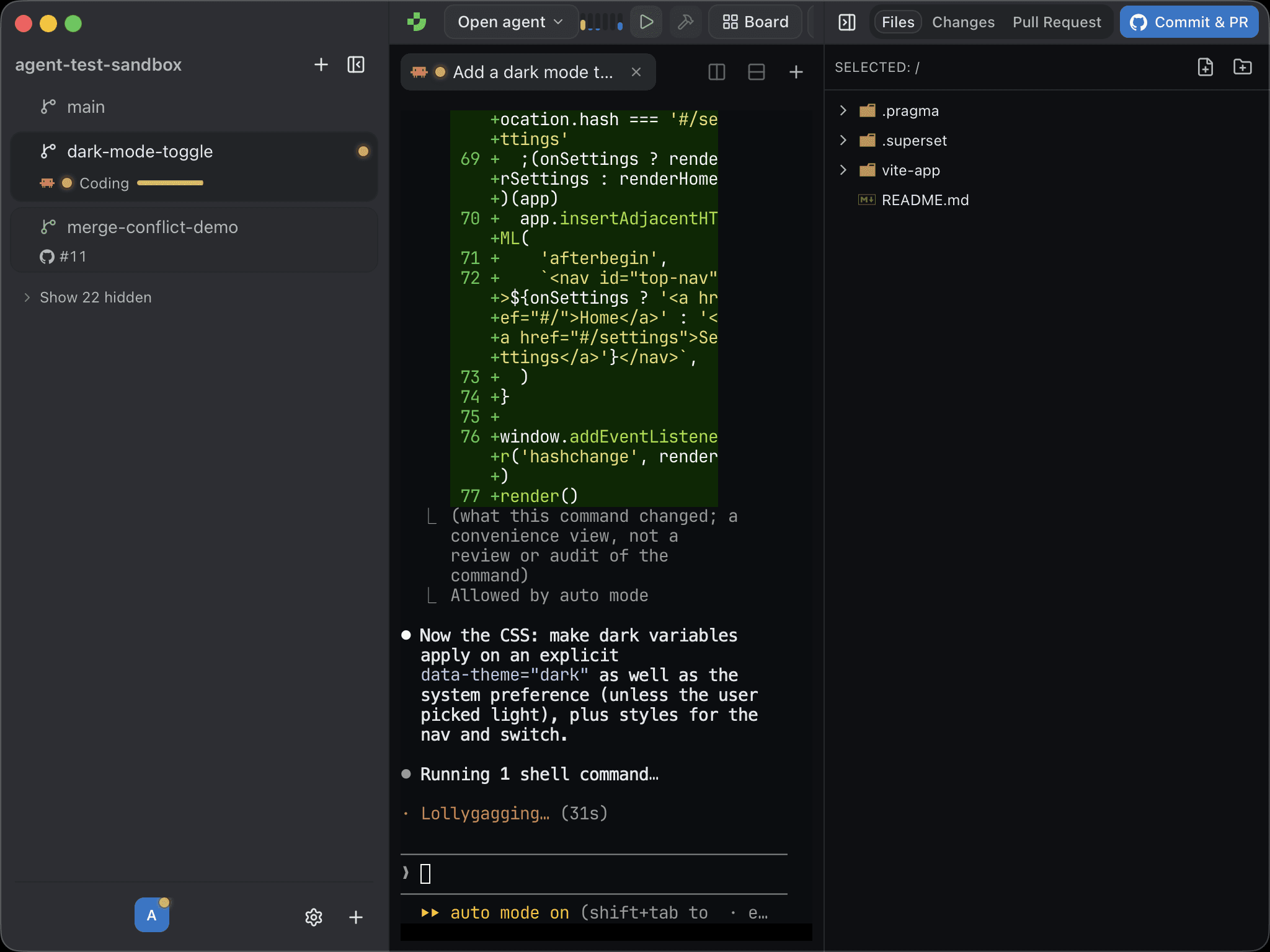
Requests are coalesced, so a burst of messages costs one request per agent. If a request fails, for example on a bad key or a rate limit, estimates pause for a minute instead of retrying on every message. Without a System 1 key, the sidebar shows the plain status.
Merge conflicts
When a pull request conflicts with its base, Resolve Merge Conflicts on the merge card hands the conflicts to the two kinds of model together:
- System 1 decides. Each conflicted file is one request, and all files go at once. For every conflict it picks ours, theirs, or both in either order, and reports two numbers: a confidence (how likely a person would pick the same) and a semantic risk (how much damage a wrong pick would do).
- Your built-in AI checks what's uncertain. If any conflict in a file scores too low, the whole file goes to your most capable built-in model. It gets the same context, System 1's answers, and read-only access to the code. It can keep a pick, override it, or write a hand-merged resolution.
Both models read the commit messages on each branch that touched the file and the PR description, so they resolve toward intent rather than toward whichever text is longer. Pragma writes and stages the resolved files, leaves binary files and rename or delete conflicts to you, and then offers Commit and Push Fixes. The fast model handles the easy calls, and the expensive one only sees the hard ones.
Try it
System 1 support ships in Pragma 1.2. Download Pragma, get a key from the TypeSafe console, and paste it into Settings → AI.